Get better answers faster: the goal of virtual tours and online open days is to test fit, not just watch videos
I’ve sat through plenty of school livestreams where students say, “It was nice,” but then still can’t explain what life is really like there. Digital visits can be great, but only if you treat them like a real appointment. Virtual tours and online open days are for checking fit, asking smart questions, and collecting details you’ll use when you apply.
Here’s a quick direct tip: schedule your visit like you’re meeting a person. Give it 30 minutes. Take notes. Then compare schools using the same set of questions. That’s what turns a digital visit into something useful for admissions.
Know what you’re seeing (and what you aren’t): how to read a virtual school visit in 2026
A virtual tour is a guided view of a campus or building. It can be a live walk-through, a recorded video, or a “meet the student” session. Online open days often mix videos, live Q&A, and links to course pages.
But here’s the part most people miss: a screen can’t show everything. You won’t fully feel the noise level at break time, how fast staff answer emails, or what support looks like on a normal Tuesday. So you need to ask for proof, not just promises.
In 2026, many schools use simple tools: Zoom or Microsoft Teams for live sessions, plus recording platforms for later viewing. Some also add a chat box, forms for questions, and downloadable prospectus PDFs. Plan to use all of that, not just watch.
What most people get wrong during virtual tours and online open days
- They watch passively. If you don’t write down answers, you’ll forget them by the end of the week.
- They ask only “Is it good?” Better questions are about daily routines, support, and how learning works.
- They don’t compare. If you don’t use the same checklist, every school starts to blur together.
- They ignore admissions details. Dates, entry requirements, deadlines, and next steps are the main reason to attend.
Use a 30-minute “note-first” plan for online open days (with a ready-to-copy checklist)
If you only do one thing, do this plan. It helps you turn a digital school visit into clear, usable information for your choices. You’ll also feel calmer, because you know exactly what you’re looking for.
Set a timer. Use a notes app on your phone. If you can, keep a second tab open for the school’s entry requirements page.
Step-by-step: your virtual visit routine
- Minute 0–5: Write the school name and course/level at the top of your notes. Copy the link to the admissions page (you’ll want it later).
- Minute 5–15: Watch the tour or course intro. Look for specifics: class sizes, learning spaces, sports or arts access, and student support.
- Minute 15–25: Join the live Q&A (or submit questions). Ask 2–3 questions that match your priorities.
- Minute 25–30: Write a “what surprised me” sentence and one “what I still need to check” line.
Copy/paste question prompts that get real answers
Use these prompts during online open days. They’re simple, direct, and they force clear answers.
- Classwork: “What does a typical week look like for students in this program?”
- Support: “If a student is struggling, what help is available in the first two weeks?”
- Feedback: “How often do students get feedback on assessments, and how do they use it?”
- Facilities: “What spaces do students use most often (and what’s reserved for special groups)?”
- Student life: “What clubs are actually run by students? How many meet each week?”
- Homework/time: “How much independent work is expected outside class?”
- Attendance: “How do you support students who miss lessons or fall behind?”
- Admissions: “What are the next steps after the open day, and where do I find the deadlines?”
How to compare schools after a digital visit (so you don’t get stuck choosing)

After a virtual tour, your brain keeps the best-looking parts and forgets the rest. Comparison fixes that. It also helps if you’re applying to multiple schools or universities for different study programs.
Here’s a simple comparison table you can use for each school. Give each item a score from 1–5, then write one line of evidence you saw or were told.
A fast comparison table you can fill in on your phone
| What to check | School A | School B | School C |
|---|---|---|---|
| Class size and teaching style | __ / 5 | __ / 5 | __ / 5 |
| Support for learning needs | __ / 5 | __ / 5 | __ / 5 |
| Feedback and assessment approach | __ / 5 | __ / 5 | __ / 5 |
| Student life beyond class | __ / 5 | __ / 5 | __ / 5 |
| Pathways to further study/jobs | __ / 5 | __ / 5 | __ / 5 |
| Clear admissions steps | __ / 5 | __ / 5 | __ / 5 |
| Evidence (notes from tour/Q&A) | One line: ______ | One line: ______ | One line: ______ |
Spot red flags: what to watch for during digital school visits

Not every online open day is honest or detailed. Some schools hide behind big words or vague answers. You can still get a lot out of a visit, but you need to know the warning signs.
Red flags that often show up in virtual tours and online open days
- No specifics: If they won’t say class sizes, timelines, or how support works, assume you’ll need to chase details later.
- Generic Q&A answers: “We support all students” is too broad. Ask “What does support look like in the first month?”
- Admission dates are hard to find: Good schools make deadlines easy to spot. If you can’t find them quickly during the event, it’s a problem.
- Perfect videos only: If the tour never shows normal spaces (classrooms during lesson hours, meeting rooms, quiet study areas), you’re seeing a highlight reel.
- No student voice: If there are no current students sharing routines, look for other sources and ask follow-up questions.
How to ask follow-up questions without sounding rude
Use short follow-ups. After the event, send a message that repeats their own wording and asks for specifics. Example:
“You mentioned that students get feedback ‘regularly.’ Can you tell me how often assessments are marked and when students typically receive feedback?”
This keeps it calm and clear. Staff can answer without guessing.
Make the visit count for admissions: deadlines, entry requirements, and next steps
The best digital visit is the one that helps you finish your admissions tasks. That means you leave with deadlines, documents, and a clear plan for your next action. If you attend an online open day but don’t act after, the effort goes to waste.
Admissions pages often include entry requirements, deadlines, and how to apply (online forms, email addresses for documents, or interview steps). During 2026, many schools also update deadlines due to changes in exam results timing and processing.
Turn your notes into an admissions checklist
- Write the application deadline in your calendar with a reminder 7 days before.
- List the documents needed (transcripts, references, personal statement, ID checks, or portfolio uploads).
- Mark the interview/test date if they have one.
- Confirm what “minimum requirements” means in plain language (grades, subjects, or credits).
- Note any extra steps like accessibility forms or financial support applications.
A real-world example (what changed one student’s decision)
I worked with a student last year who loved the campus photos from a university open day. During the Q&A, they asked one detail: “What happens when students miss a lab session?” The admissions team answered with the exact process and support timeline. That one answer mattered more than the tour because it matched the student’s timetable and responsibilities.
So don’t skip the “boring” questions. They’re often the ones that protect you later.
Digital school visit tools that make online tours easier to manage
Good planning beats complicated tech. Still, a few tools can make virtual tours feel more like a real visit, and less like scrolling around.
Tools I recommend (and how to use them)
- Notes app with a checklist: Use one page per school. Title it with the program name.
- Google Calendar (or your phone calendar): Put the event link and the follow-up reminder on the same day.
- QR code or link to admissions page: If you get a link during the event, paste it into your notes immediately.
- Headphones: It sounds small, but it improves understanding in live sessions.
- Screen brightness control: For long videos, lower brightness so you don’t lose focus.
If a school provides a downloadable guide or PDF, save it. In 2026, many open day resources include updated course maps, module summaries, and contact details that aren’t repeated later.
People also ask: quick answers about virtual tours and online open days
How do I ask questions during a virtual tour if there’s limited time?
Pick one “big priority” question and one “practical proof” question. If time is short, your goal is clarity, not covering everything. After the event, send your remaining questions by email and include the program name in the subject line.
Are virtual tours enough to choose a school or university?
They can be enough to shortlist, but not always enough to choose confidently. Virtual tours are great for checking course structure, support, and admissions steps. For final decisions, try to attend at least one in-person visit if you can, or schedule a live student chat if the school offers it.
What should I do if I miss the live online open day?
Look for the recorded version within 48 hours. Then rewatch only the parts connected to your questions: facilities, course delivery, and Q&A. Finally, email the admissions team with a short list of questions so you don’t lose momentum.
Can I use virtual tours to apply for scholarships or financial support?
Yes, but you’ll need to check the specific scholarship page. Many open days mention “support available,” but they don’t always explain eligibility rules. During the event, ask: “Which scholarships can I apply for after this open day, and what are the deadlines?”
Where online visits fit in your wider study journey (and how to connect this to other posts)
Virtual tours work best as one step in the full admissions journey. If you’re also working on your application materials, you’ll get more from each event when you connect what you learn to your personal statement or application form.
On this site, you can pair this guide with practical steps from related resources. For example, our article on how to choose a study program helps you match what you like with what you’ll actually study. If you’re focused on the application timeline, our application deadlines checklist keeps everything in order. And if you want to think beyond grades, our uni interview preparation tips can help you turn open day questions into confident answers later.
A simple action plan for after the online open day (don’t stop at attendance)
Here’s the part that makes the biggest difference: act within 24 hours. If you wait a week, your notes get messy and you lose the chance to ask follow-up questions while the event team is still active.
Your 24-hour follow-up steps
- Send 1–2 follow-up questions while they’re fresh. Keep them short and specific.
- Save the key links (entry requirements, how to apply, scholarship pages, contact details).
- Update your comparison table with scores and evidence.
- Schedule the next step: another open day, a call, or a document upload checklist review.
If you do this, virtual tours and online open days stop being “something you watched” and start becoming part of your admissions strategy.
Conclusion: treat each digital visit like data, not entertainment
Virtual tours and online open days can give you real value—fast—if you ask better questions, take clear notes, and compare schools using the same checklist. In my experience, students who do that end up with fewer surprises later, because they’re not guessing about class life, support, or admissions steps.
Your takeaway for 2026: book your online visit like an appointment, spend 30 minutes collecting proof, and follow up within 24 hours. That’s how you get the most out of digital school visits and make a confident choice for your next step.
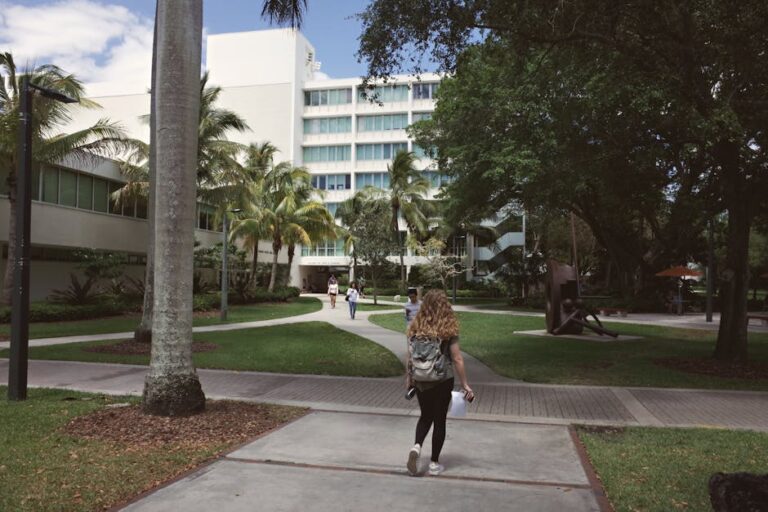
Featured image alt text: Virtual tours and online open days for schools with students taking notes during a digital campus visit
About the Author